
AI agents sometimes do the wrong thing. They skip steps, make things up, or start doing tasks they weren’t assigned. This happens when the instructions aren’t clear or when the agents don’t know when to stop.
To avoid this, we tried to split the tasks into smaller steps. That’s how we ended up with 19 different agents, each doing one very specific job. The idea was that more structure would mean fewer mistakes.
But splitting tasks into tiny pieces created a new problem: managing all the handoffs. We had to be extremely careful about how data moved from one agent to the next. It slowed everything down and introduced new chances for things to break.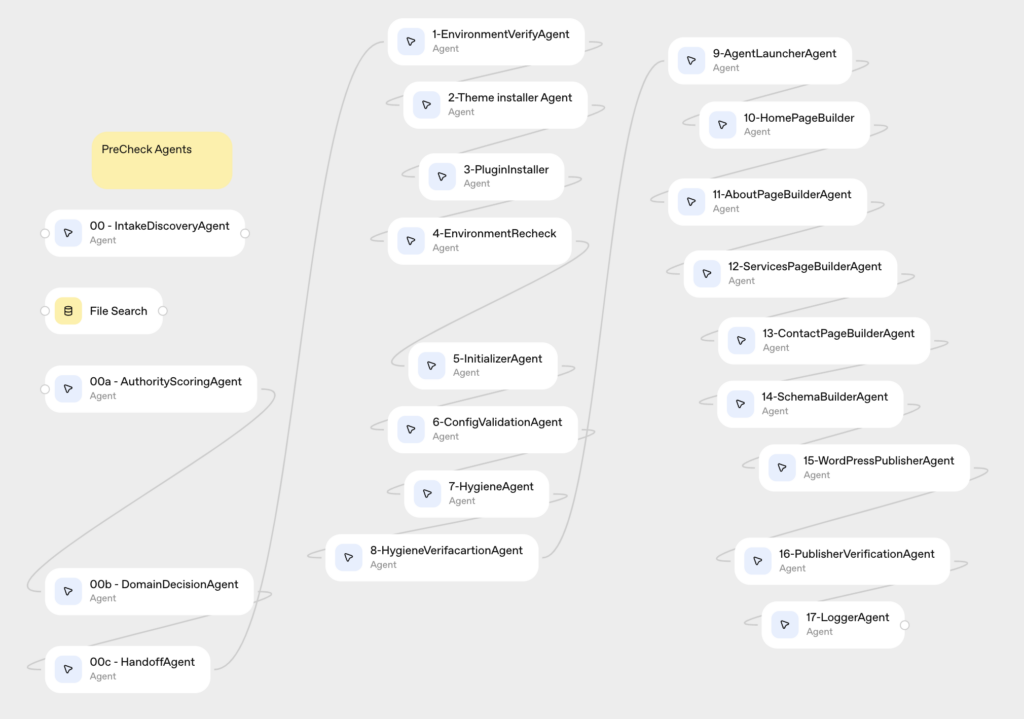
We stopped assigning agents to make tiny design changes like adjusting headers or picking colors. Instead, we started every build with a pre-configured WordPress theme that already had all of that done.
This let us remove most of the agents we originally created. The new focus is on gathering your content, turning it into useful material, and publishing it to your site.
By simplifying the setup, we don’t have to worry as much about agents making mistakes or breaking the process during handoffs. It also saves a lot of time.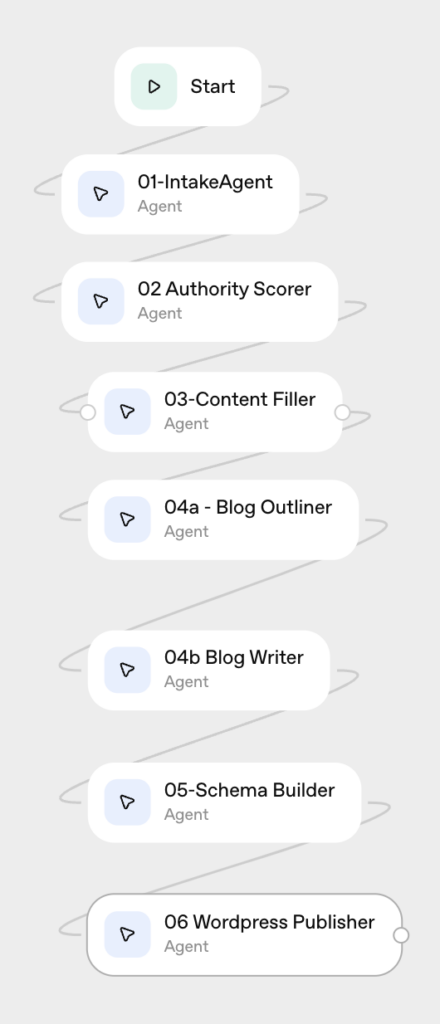
Originally published .