
If you’ve been on a podcast before — or you’re about to be — there’s a free tool you should know about called Podchaser. Think of it like IMDb but for podcasts. It tracks every show, every episode, every host, and every guest appearance in one searchable place.
I use it because every time I’m a guest on someone’s podcast, I want that appearance to actually count for something beyond the episode itself. Podchaser gives you a creator profile that collects all your appearances in one spot — like a podcast resume that anyone can find when they Google your name.
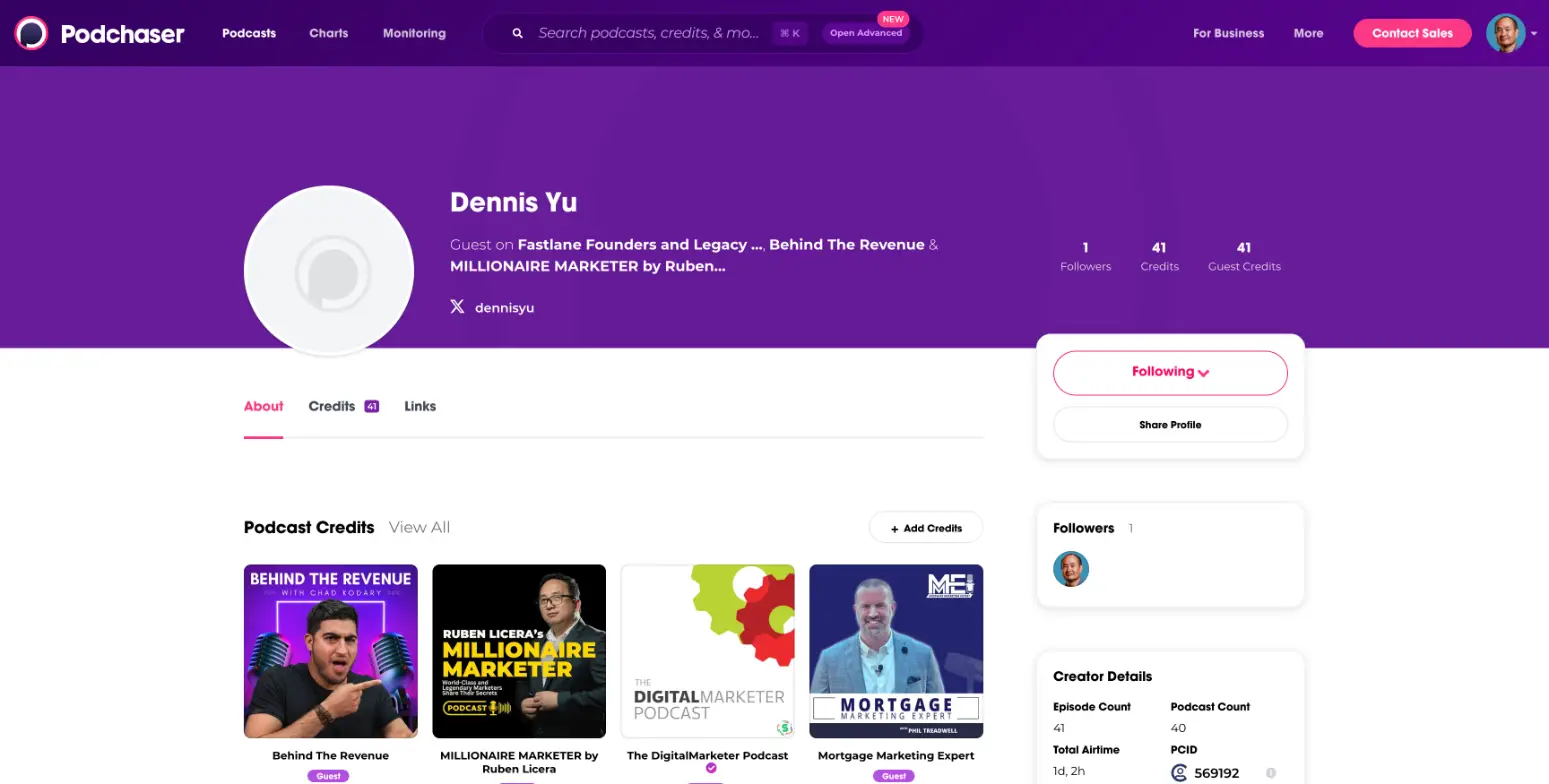
Here’s what my Podchaser creator profile looks like right now:
Why This Matters If You’re a Local Business Owner
You don’t need to be on 40 podcasts to get value from this. Even a handful of appearances — talking about your trade, your community, your story — start building something real. Podchaser makes those appearances permanent and searchable. That means when someone looks you up, they don’t just see your website or your Yelp page. They see that you’ve been featured on real shows talking about what you know.
Combined with things like Google Knowledge Panels and your personal brand website, podcast appearances on Podchaser become part of the digital footprint that makes you Googleable. And that’s the whole game — being findable when people search for what you do.
How to Set Up Your Profile (Takes About 15 Minutes)
Go to podchaser.com and make a free account. Verify your email, then search for your name under the “Credits” tab. If someone already tagged you as a guest on an episode, you’ll see a creator profile you can claim.
Once you’re in, click “+ Add Credits” and Podchaser will suggest episodes you may have appeared on. Confirm the ones that are actually you, save your changes, and manually add anything it missed. Then fill out your bio, upload a photo, and add your social links so the profile looks solid.
That’s it. Fifteen minutes of setup and every podcast you do from here forward has a permanent, searchable home.
Real Example: Setting Up Dan Leibrandt as a Creator on Podchaser
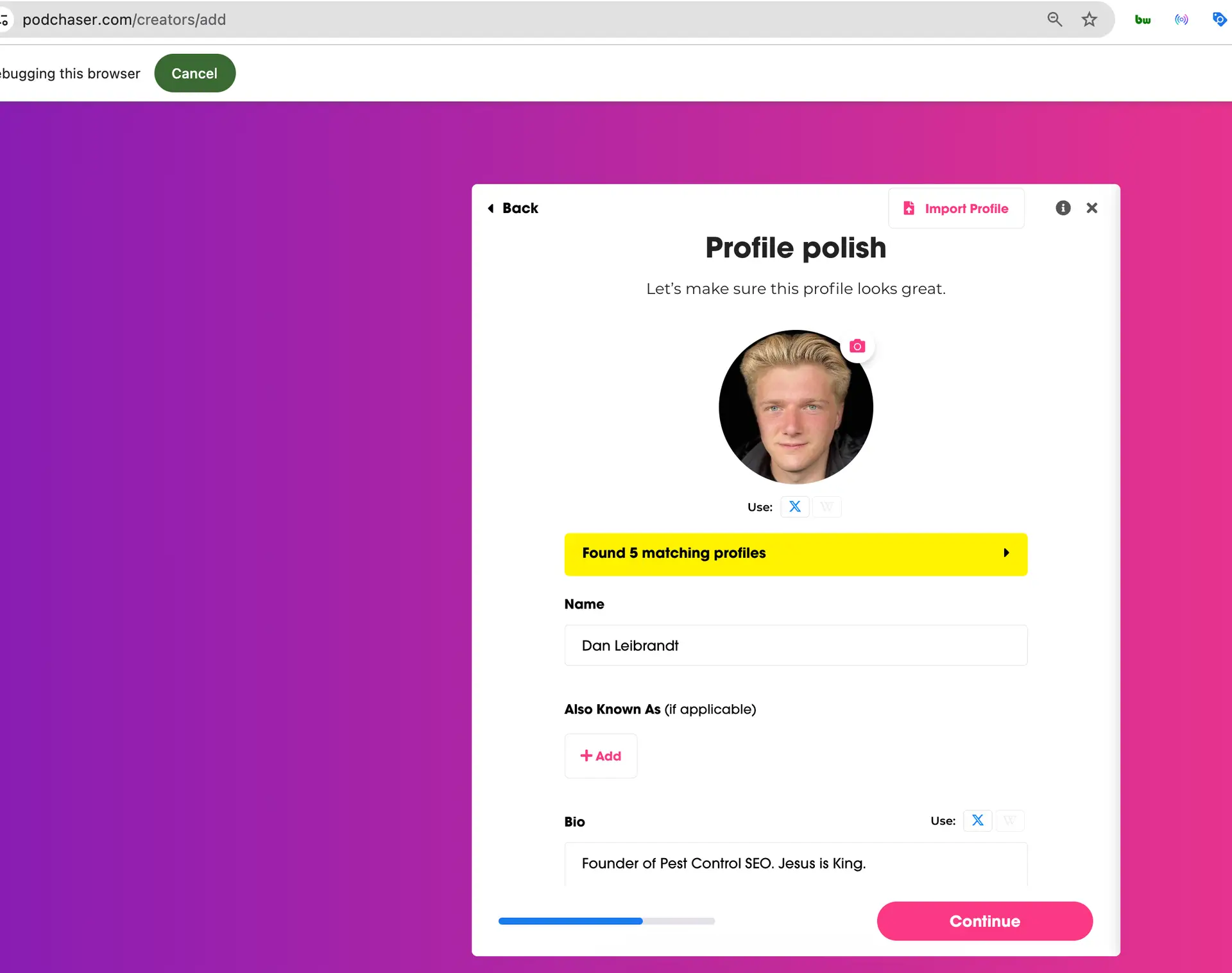
Here’s where it gets interesting. I noticed that Dan Leibrandt’s podcast episodes were already indexed on Podchaser, but there were no creators or guests associated with the podcast. The episodes were there — the people behind them were not. So I went in and created Dan as a host, which kicked off a registration process that revealed something important about how identity works on the internet.
Podchaser’s creator registration process requires you to verify your identity through X (formerly Twitter). That’s the mechanism it uses to confirm you are who you say you are. Your X handle becomes the anchor for your identity across the platform. This is exactly why it’s so critical to have an active presence on X — not just for social media purposes, but because X functions as a foundational layer for identity verification across the internet. Your handle gets tied to your entity, and platforms like Podchaser rely on that connection to validate creators.
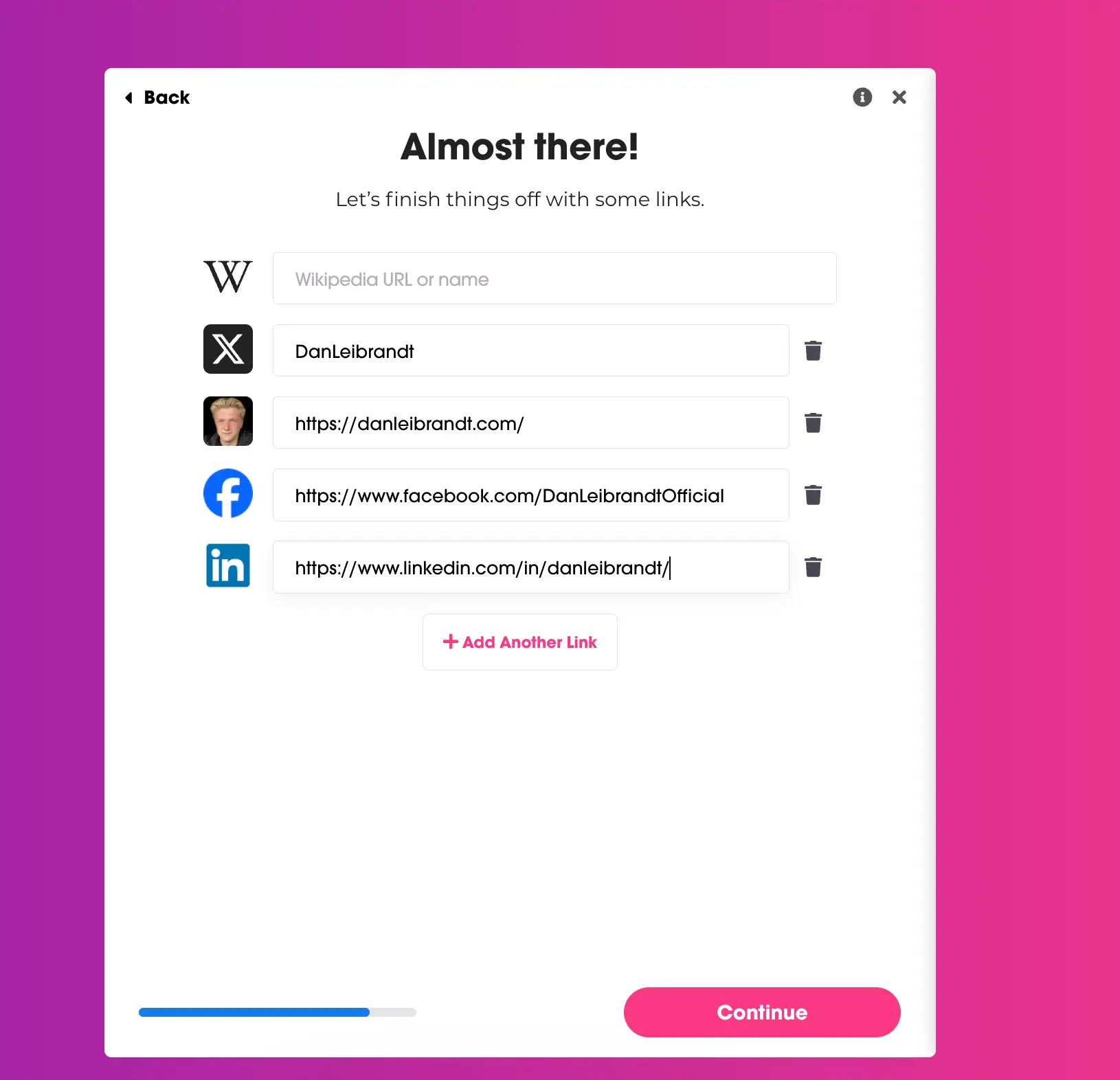
From there, I added Dan’s other social networks and his personal brand website to give clarity to his entity. These are the same items you want showing up in your Google Knowledge Panel: your X profile, your personal website, your Facebook page, your LinkedIn. Notice the consistency Dan has across all of these — his headline, his profile picture, his branding. It’s airtight and super clean, and that consistency is what makes entity recognition work.
Adding Credits Across Multiple Podcasts
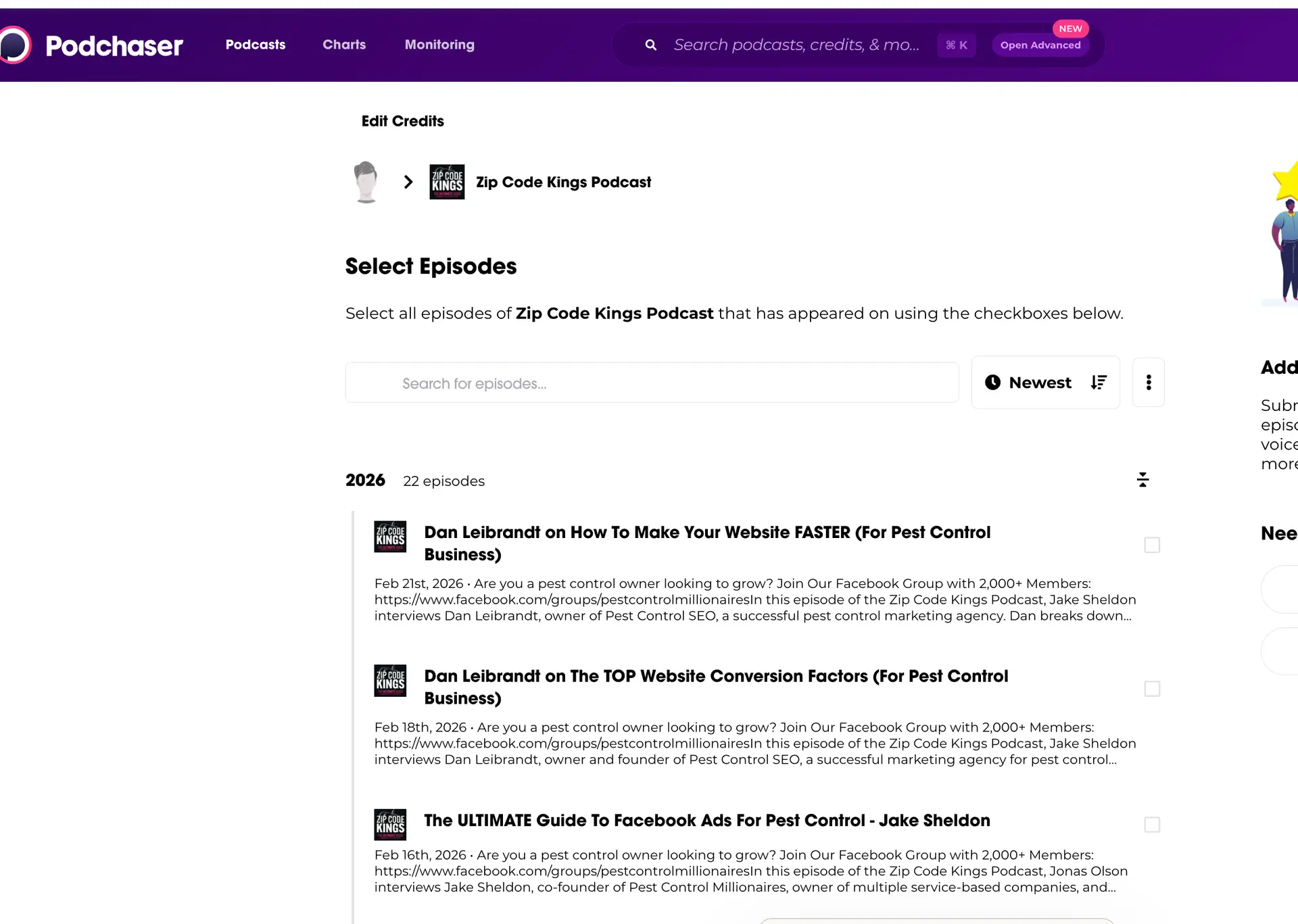
Once the creator profile was set up, I could start adding credits — meaning associating Dan with his multiple podcasts where he’s either a host or a guest. Podchaser lets you search for a podcast and then select individual episodes to credit the creator on.
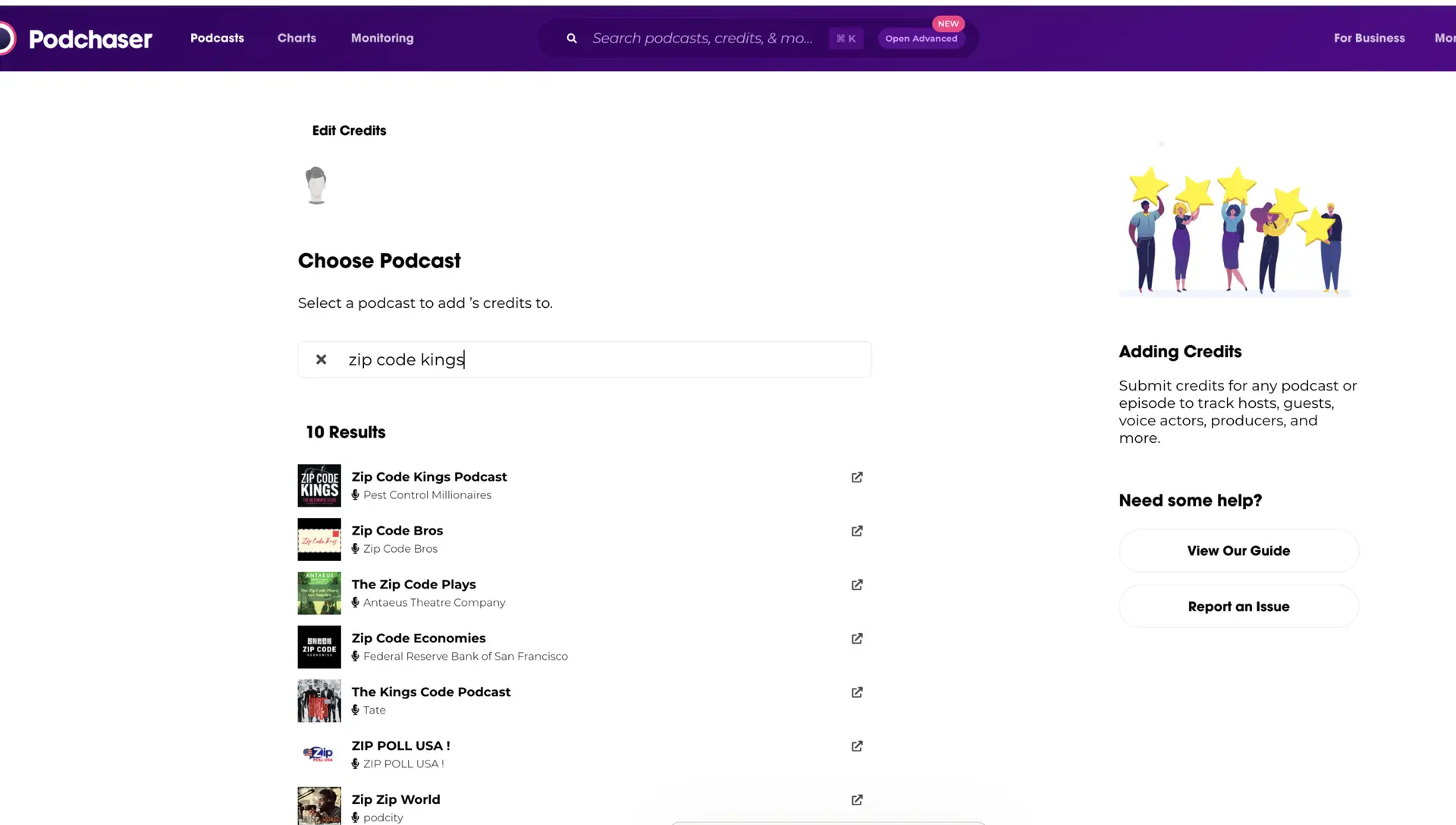
For the Zip Code Kings Podcast alone, there are 22 episodes in 2026 and 35 episodes in 2025. You can select all the episodes the creator appeared on and then assign their specific role.
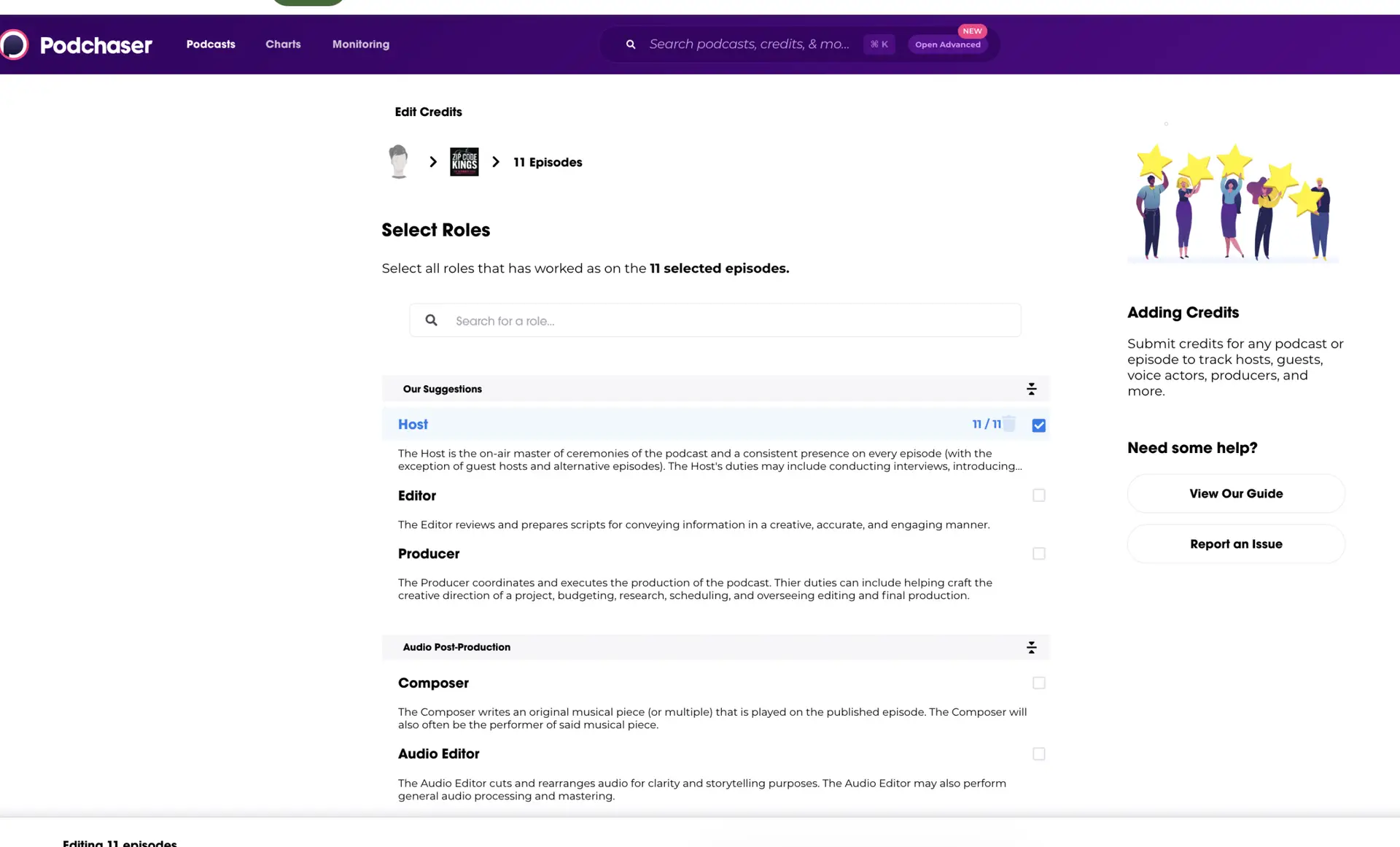
Notice how many roles are available to choose from. You can fine-grain configure each episode with roles like Host, Editor, Producer, Composer, Audio Editor, and more. This level of granularity means every credit accurately reflects what the person actually did on that episode.
One interesting detail: Podchaser allows you to submit someone else as a creator even if you’re not that person. They do have a 48-hour manual approval process to verify these submissions, which keeps the data clean while still allowing the community to build out creator profiles collaboratively.
The Scale of Suggested Credits
To give you a sense of the scale here — for my own profile, Podchaser found another 564 podcasts that I’ve been on as suggested credits. Each one of these needs to be reviewed to confirm it’s actually me and not someone else with a similar name. You can see each suggestion shows the podcast name, episode title, a brief description, and buttons to confirm your role as “Guest” or select other roles.
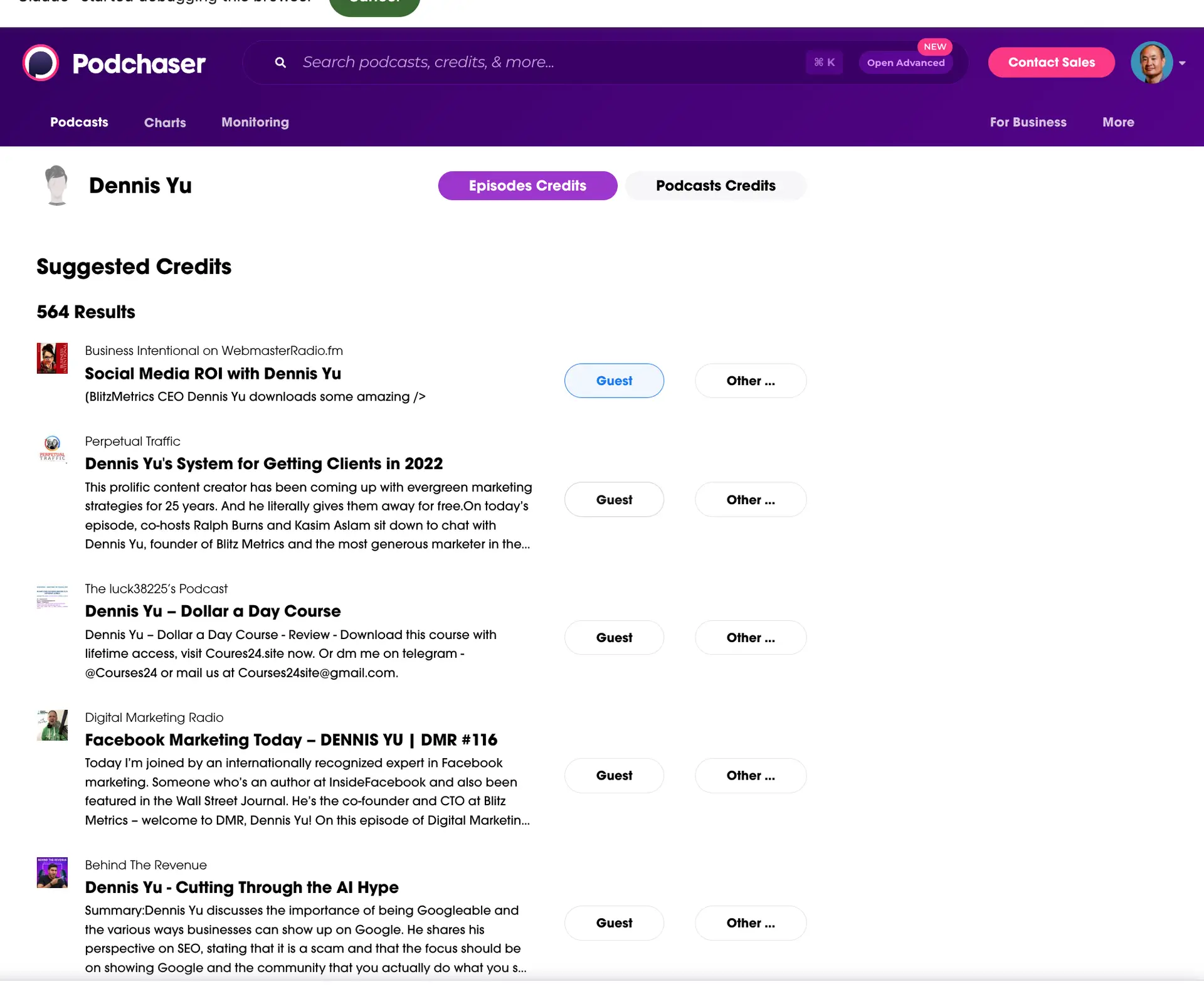
That’s a lot of manual review. This is where having an AI agent could be a game-changer — imagine an agent that can cross-reference episode descriptions, check whether the guest matches your background and expertise, and auto-confirm the obvious matches while flagging anything ambiguous for human review. The tedious part isn’t claiming the credits, it’s verifying 564 entries one by one.
The Bigger Point
Most people record a podcast episode, publish it, and move on. That’s a mistake. Every episode should feed into your articles, your social content, your email list — and your Podchaser profile. It’s one of those small things that compounds over time. The more appearances you rack up, the stronger that signal gets when someone searches your name.
If you want to see how this looks in practice, check out my Podchaser creator profile — 41 episodes and counting.