
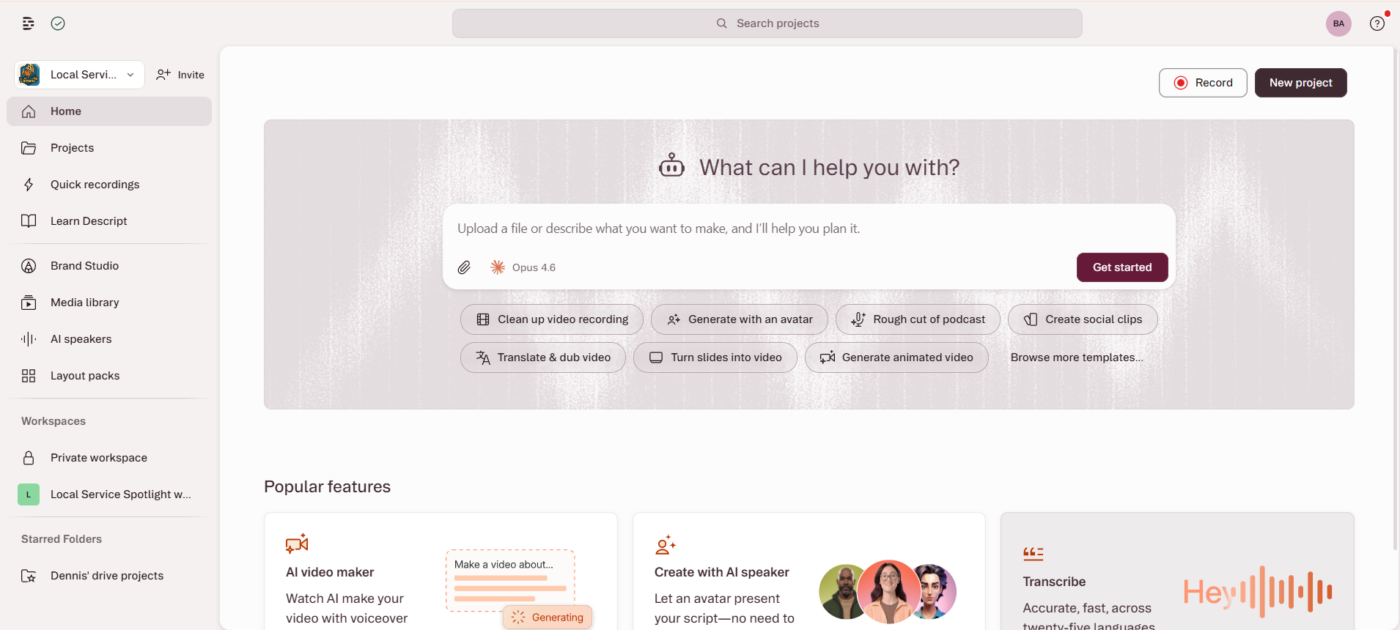
We use Descript as the edit desk inside the Content Factory. Raw phone video from a job site, a customer interview, or a podcast lands in Descript first. Transcription, filler-word cleanup, clips, captions, and a clean master come out. Then agents and humans turn that master into blogs, social posts, ads, and meta articles.
This page is how Local Service Spotlight actually runs that step — not a Descript product tour, and not instructions for logging into our shared team account. If you want the product overview, read Why I Call Descript the Swiss Army Knife of Video Editing. If you need the team login path, that stays on an internal page and is not a public SEO target.
Where Descript sits in the Content Factory
The Content Factory turns one piece of raw video into dozens of finished assets. Descript is Stage 2 tooling: Process. Collect happens on the phone or camera. Process happens in Descript (and adjacent AI). Publish and Promote happen on WordPress, social, and ads.
- In: a job-site clip, testimonial, podcast take, or screen walkthrough
- In Descript: transcript as the timeline, Studio Sound, remove filler words, cut speakers, export clips and a captioned master
- Out: SRT/transcript, short clips, stills, and a clean master the Content Factory can repurpose without re-watching the raw file
What we actually do in Descript
1. Import and name the project after the person or job
Every project is named for the source — the customer, the contractor, the episode — not “Final_v3.” That name follows the transcript, the clips sheet, and the blog that comes later. Provenance is the point: a stranger should be able to trace a published quote back to the recording.
2. Edit on the transcript, not the waveform
Descript’s advantage for our shop is text-based editing. Delete a sentence in the transcript and the video follows. That is how we cut a 90-second customer thank-you or a one-minute “answer the question customers actually ask” clip without a traditional NLE.
3. Studio Sound, filler words, then speaker labels
Job-site audio is noisy. Studio Sound first. Then filler-word removal. Then rename “Speaker” to the real person when the recording supports it. Wrong speaker labels poison every downstream quote, so we treat naming as part of QA, not decoration.
4. Pull clips and captions before you leave the project
Short clips for social and ads come from the same composition as the master. Captions travel with the export (cc_load_policy=1 on every YouTube embed we publish). The Content Factory does not invent a transcript later if Descript already produced one.
5. Hand off a package, not a mystery file
What leaves Descript for the next agent or teammate: project link, duration, SRT or markdown transcript, clip list with timecodes, and the master export. That package is what “Process” means in the Content Factory — not “someone remembered what was said.”
Worked example: testimonial in, Content Factory out
A recent path looks like this: import a customer MOV into Descript → compose a “Full testimonial” timeline → export transcript with speaker changes and timecodes → cut short clips from the same composition → agents draft the blog and social from the transcript, not from memory. The Descript project stays the source of truth even after the article is live.
Same pattern on personal-brand builds: phone video of the owner answering real customer questions goes into Descript, then into the Content Factory receipts you see on pages like Phone Video to Personal Brand: Britain Eriksen.
What this is not
- Not a substitute for descript.com login or billing support
- Not our internal shared-account login checklist (that page stays noindex on purpose)
- Not “AI will edit your brand for you” without a real recording — we still start from something that happened
Related systems and tasks
- Content Factory — the full system this edit desk serves
- Descript Swiss Army knife — product capabilities we rely on
- Task Library — open playbooks for the steps around video and repurposing
- Repurpose videos into blog posts via Content Factory
- How we use Cursor for marketing — same “show the desk” pattern for another tool
See it on your business
If you already shoot job video and nothing reusable comes out, start with a free Quick Audit. If you already know you want the full growth retainer — Maps, Proof & Content, Calls & Conversion — see home service marketing pricing.
Marker: LSS-HOW-WE-USE-DESCRIPT-2026-09-24
Originally published .