
Show your client what happened and what comes next. The Success Tracker keeps your team’s weekly reports and proof in one place. Start with that record to plan the client review and track the next steps.
This guide is part of How To Write Weekly MAA Reports For Local Service Businesses (results, meaning, and next steps; see MAA method). Next, explore The Client Tracker: Money, Routing, and Accountability, or Measurement & Analytics Agent.
Where this task fits in the Content Factory
This task supports work across the Content Factory (our four-stage process for using real content). Its inputs and next handoff determine which stage uses it.
Start, finish, and next step
- Start when
- A client’s weekly work and MAA evidence need to be made visible for the next review.
- Have ready
- Success Tracker template
- Dated completed-work artifacts
- Sourced metrics with periods
- Current actions, owners and blockers
- Follow the steps
- Gather this cycle’s evidence
- Update the tracker’s actual project state
- Record metrics and analysis
- Assign next actions
- Review the record with the team and client
Use the detailed instructions in this article for each step.
- Finish with
- A current Success Tracker that makes the relationship’s work, evidence and next actions understandable.
- Measure the result
- Every completed item links a dated artifact
- Every metric names its source and period
- Every action has one owner and due date
- Unknown, blocked and not-connected states remain visible
- Hand off next
- Use the tracker in weekly calls and planning; retain the true roster, billing and measurement authorities.
- When the next weekly report is due: submit weekly maa report every friday
Reference material for the inputs
- The Client Roster: The Safety Gate for Every Client Operation
- The Client Tracker: Money, Routing, and Accountability
- How to Do MAA (Metrics, Analysis, Action) Like a Pro
Open this article’s tasks in the Task Library (our directory of tasks and recipes; see current Task Library). The library connects the current recipe, its smaller tasks, and the records of work performed.
AI Builders struggle because their work isn’t visible without structure.
When you’re managing marketing for plumbers, roofers, landscapers, or HVAC companies, activity alone doesn’t count. Clients want proof. Weekly MAA reports need to be clear. Progress needs to be documented in a way that makes sense to someone who didn’t do the work.
The Success Tracker is where that structure lives.
It is the single document where AI Builders collect, organize, and present their weekly MAA reports. Every task completed, metric tracked, insight discovered, and next step planned rolls up into this one framework. Instead of scattered updates across tools and messages, everything is anchored in one place.
In the embedded video, AI Builders can watch me walk through multiple real Success Trackers so they can see exactly how strong reporting looks in practice. You’ll see how different clients, stages, and challenges are reflected clearly using the same structure.
The Success Tracker turns effort into evidence. It gives AI Builders a repeatable way to stay organized internally while confidently showing clients what happened this week, why it matters, and what’s coming next.
Download the Success Tracker Template
What the Success Tracker Really Is
The Success Tracker is a living discussion document. It’s used during weekly calls, monthly reviews, and quarterly planning to keep everyone aligned on the same reality.
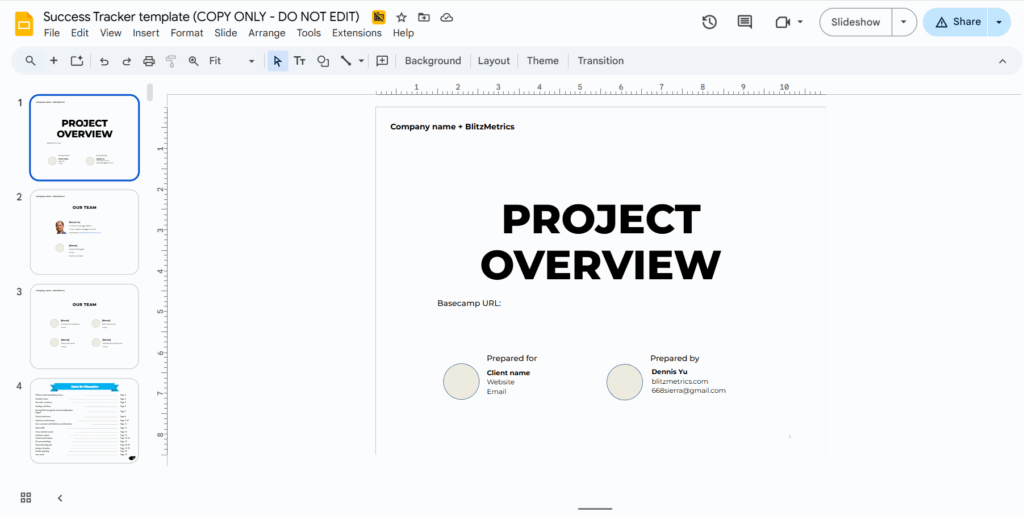
Instead of jumping between tools, screenshots, and half-remembered tasks, the Success Tracker consolidates the evidence and history of one client relationship. It shows where the project started, where it currently stands, and what needs to happen next. Because it is updated continuously, it becomes the shared working view for the internal team and the client.
It is the discussion and handoff document for the relationship—not the authority for client status, billing, project ownership, or source analytics.
What the Success Tracker Owns—and What It Does Not
The Success Tracker is the per-client working evidence and history view. It keeps weekly MAA reports, shipped-work receipts, decisions, blockers, and next actions understandable in one relationship. It helps a client and the internal team discuss the same documented history; it does not grant authority to work, define ownership, or turn an unsourced number into truth.
- Client status: the Client Roster says whether the relationship is Active Client, Special Project, or Not Active.
- Money and routing: the authenticated Client Tracker carries the monthly financial/routing projection, including one verified Project Lead.
- Work and conversation: the verified Basecamp project and Project Overview identify the actual destinations, participants, and current accountable lead.
- Metric truth: source dashboards and their dated Measurement Source Contract receipts own the definitions, periods, and connection states. Not connected never means zero.
- Branch interpretation: the Money Tree visualizes structural support and verified outcomes; the weekly MAA explains what changed, why, and what happens next.
Acceptance test: every completed item links to a dated artifact, every metric names its source and period, every action has one owner and due date, and every unresolved access or identity gap stays visible as Not connected, Unknown, or Blocked.
Task Checklist
Required Tools
☐ Success Tracker template.
☐ Google Analytics access.
☐ Google Tag Manager access.
☐ Ad account access (Meta / Google Ads if applicable).
☐ Google Business Profile access.
☐ Website admin access.
☐ Screenshot tool (native OS or browser).
Why Local Service Businesses Need This Structure
Local service business owners want clarity.
They want to know whether phone calls are increasing, whether leads are coming in, and whether money spent is producing something tangible. The Success Tracker frames all activity around three stages that mirror how real buying decisions happen: audience, engagement, and conversion.
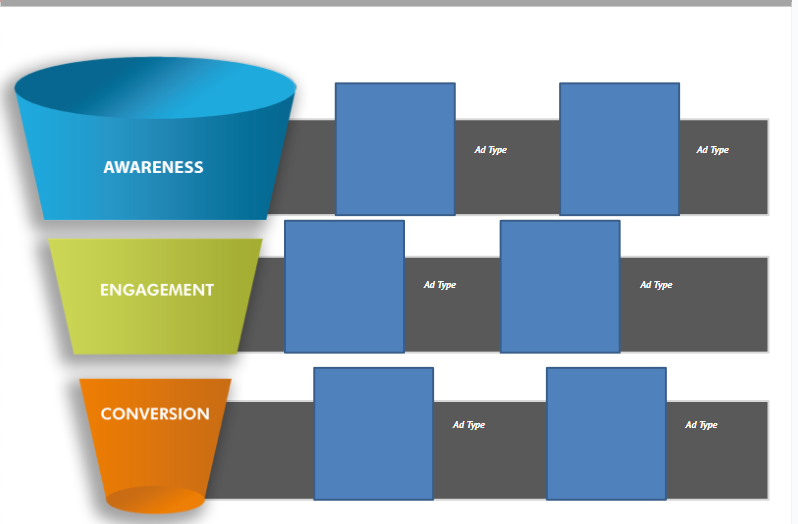
By organizing work this way, marketing stops feeling mysterious. When performance improves, the reason is visible. When something stalls, the bottleneck is obvious. That clarity builds trust, especially when the person managing the account is an AI Builder who may be younger than the client.
The Six-Phase Framework That Prevents Chaos
The Success Tracker follows a six-phase implementation process that reflects how effective digital marketing actually works over time.
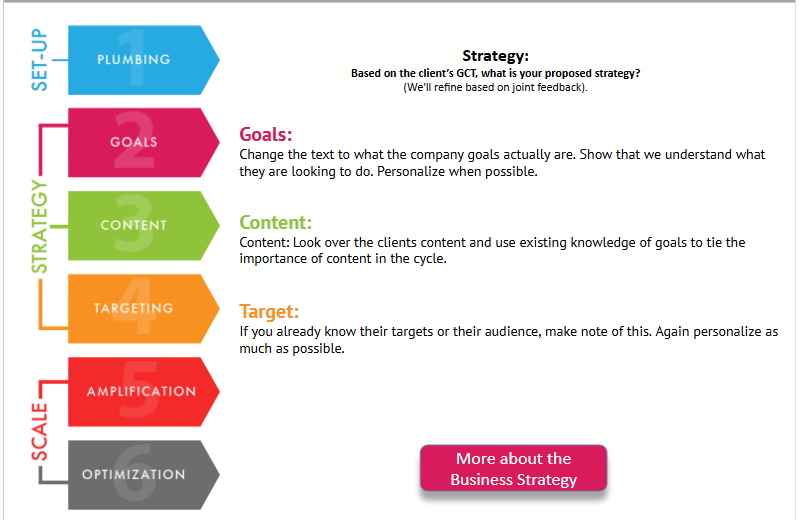
It begins with a strategic overview so anyone can understand the big picture without digging through details.
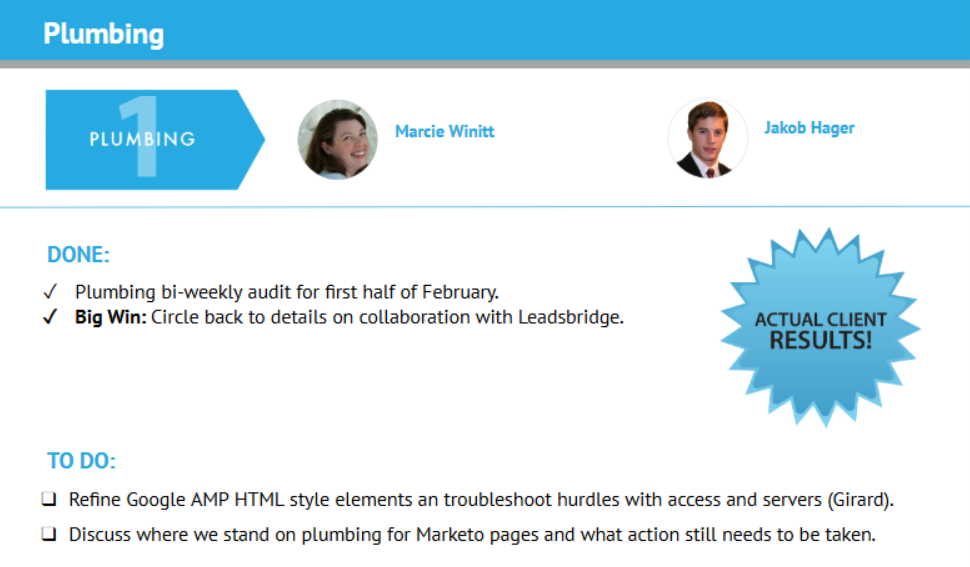
It moves into digital plumbing to ensure tracking and attribution are correct before money is scaled.
Goals are clearly defined so success isn’t subjective.
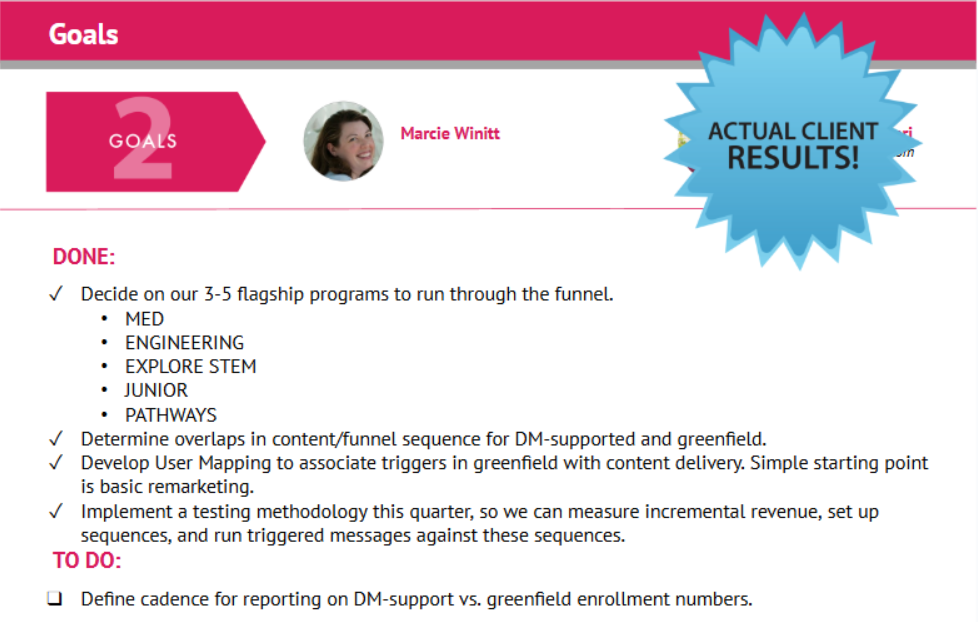
Content is cataloged and evaluated so effort compounds instead of repeating itself.

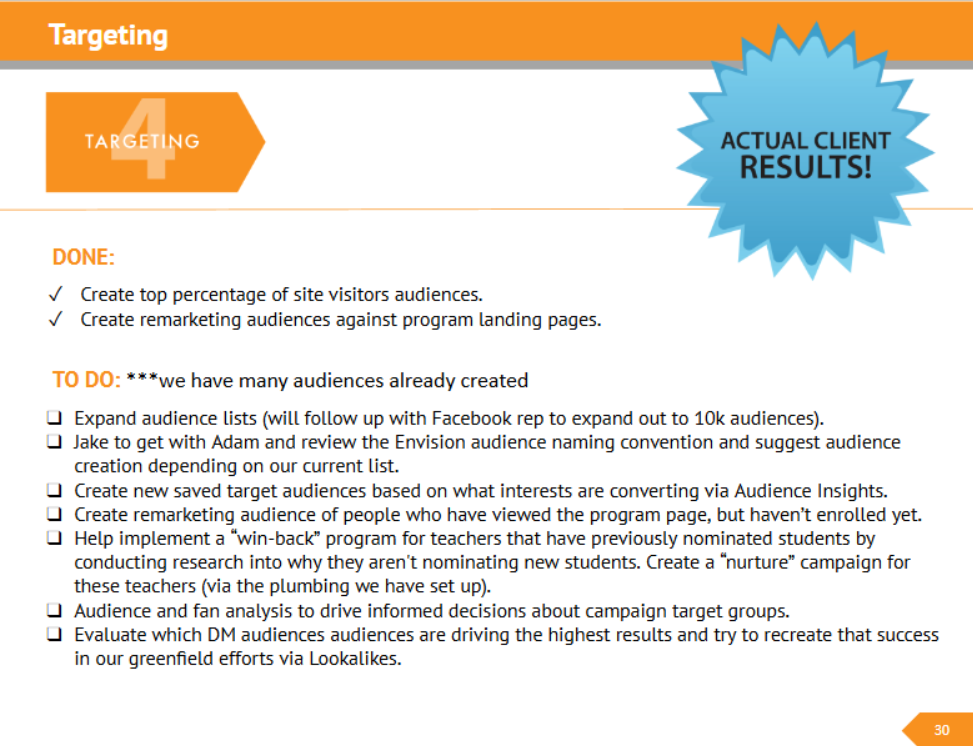
Targeting is measured so audiences grow stronger instead of broader.
Finally, optimization ties everything together through metrics, analysis, and action.
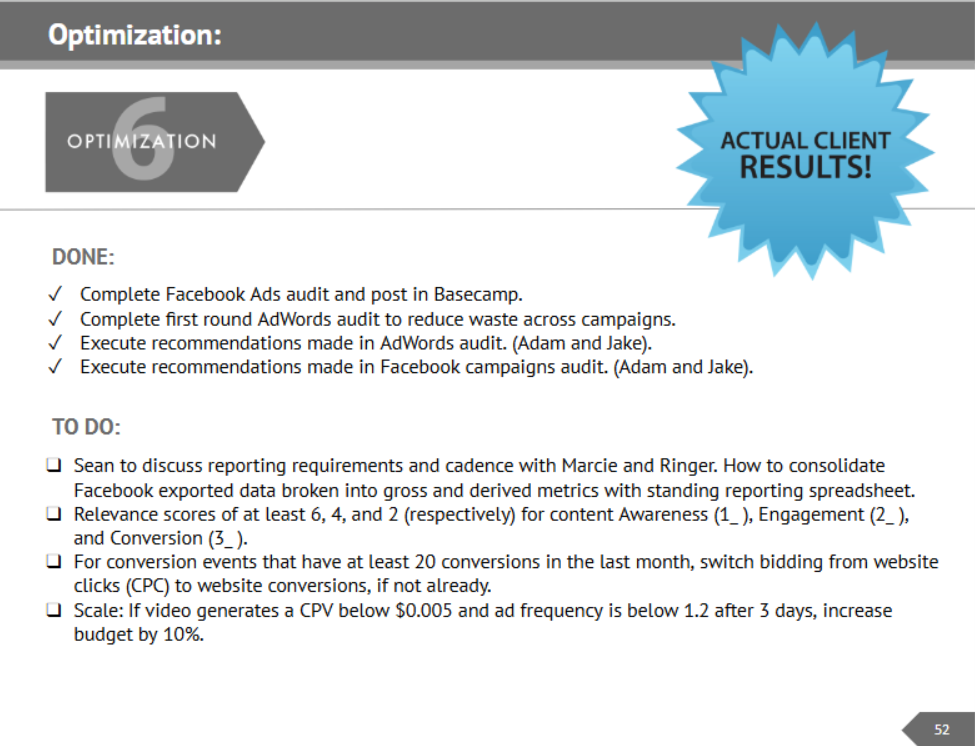
Because every phase builds on the previous one, gaps are easy to spot. Nothing important stays hidden for long.
Weekly Progress Without the Awkward Explanations
One of the biggest advantages of the Success Tracker is how it transforms weekly client calls.
Instead of scrambling to remember what happened, the document shows it. Completed tasks are visible. In-progress items are clear. Blockers and dependencies are documented. The conversation shifts from defending effort to deciding next steps.
This removes tension from the relationship. Clients don’t feel like they have to interrogate. Teams don’t feel like they have to justify their existence. The work speaks for itself.
Metrics That Actually Tell the Truth
Most marketing reports fail because they collapse everything into a single average number. The Success Tracker does the opposite.
By separating performance into audience, engagement, and conversion, it becomes clear where costs are rising, where efficiency is improving, and where effort should be redirected.
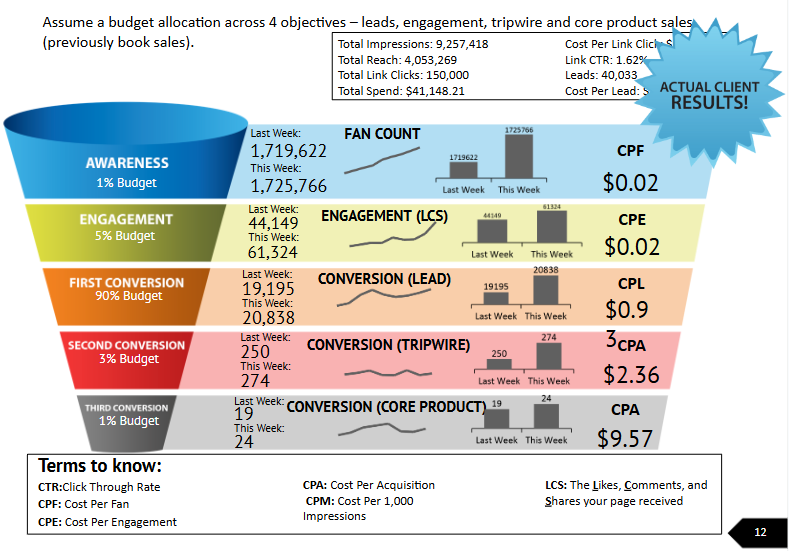
Trends are tracked over time, not just week to week, so decisions are based on patterns instead of panic.
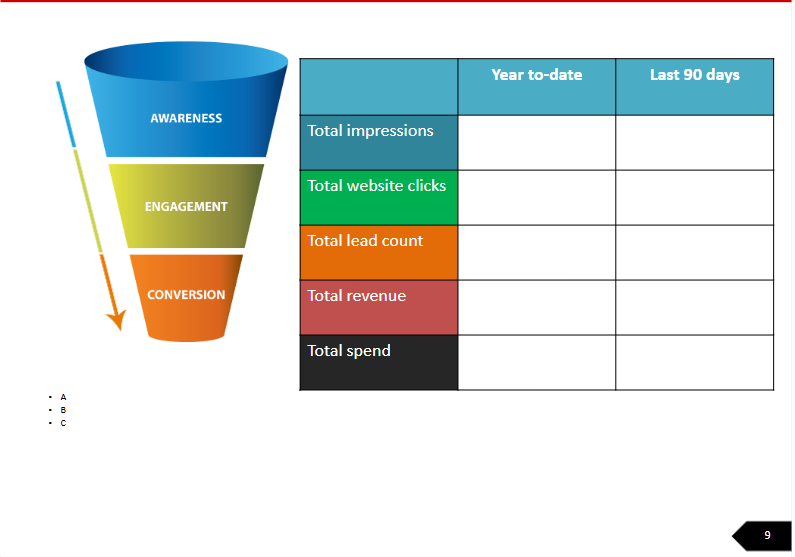
This approach allows young operators to explain results with confidence because they understand what’s driving them.
A System Designed to Scale With Real Teams
The Success Tracker is built so execution doesn’t depend on one person remembering everything.
Much of the documentation and updating can be handled by trained assistants, while account leads and strategists focus on analysis and decision-making.
When leaders step into a meeting, the groundwork is already done. Just like a doctor reviewing a patient chart prepared by a nurse, time is spent diagnosing and prescribing, not gathering basics.
That’s how one person manages multiple clients without burning out, and how AI Builders grow into operators instead of task-doers.
The Point of the Success Tracker
The Success Tracker exists because “we’re working on it” is not a strategy.
If you’re responsible for local service clients, you need a system that makes progress visible, decisions grounded, and conversations productive. The Success Tracker provides that structure.
Once you use it properly, client calls stop feeling stressful. Reporting stops feeling defensive. And your work finally looks as organized and valuable as it actually is.
Verification Checklist
This checklist is used after updating the Success Tracker (before a call or internal review).
☐ All sections relevant to the current phase are filled.
☐ No empty slides that should be updated this week.
☐ No outdated numbers or screenshots.
☐ Dates and reporting period are correct.
☐ A third party could understand what’s happening without explanation.
☐ Progress is visible without interpretation.
☐ Bottlenecks are obvious.
☐ Next steps are unambiguous.
☐ Cost trends are visible.
☐ Improvements or declines are explained.
☐ Work completed is documented.
☐ Work planned is documented.
☐ Missing client inputs are clearly listed.
☐ Ownership is clear (who is responsible for what).
Related: The Client Tracker — the master roster that every Success Tracker rolls up into.
Originally published .